
Shopify quantity breaks, counted per product and explained in plain English
Per-product counting is the first question every quantity-based discount has to answer: what counts as "the same product"? Stackable gives you three explicit counting modes, per_variant, per_product, and per_group, so tiers, BOGO, and quantity breaks always count what you actually meant.
Merchants on the Shopify forums ask...
“How do I make a discount count units of the same product, or its variants, without accidentally pooling every unrelated product in a collection into the same total? Shopify support confirms native discounts don't support "count same products only."”
Shopify's native discount conditions can scope by collection or product list, but the quantity math behind the scenes counts every eligible line item toward one shared number. There's no built-in switch for "count this product's variants together but not other products," so merchants either get a discount that's too easy to trigger from a huge collection, or build a workaround with a hand-coded price table.
How Stackable solves it
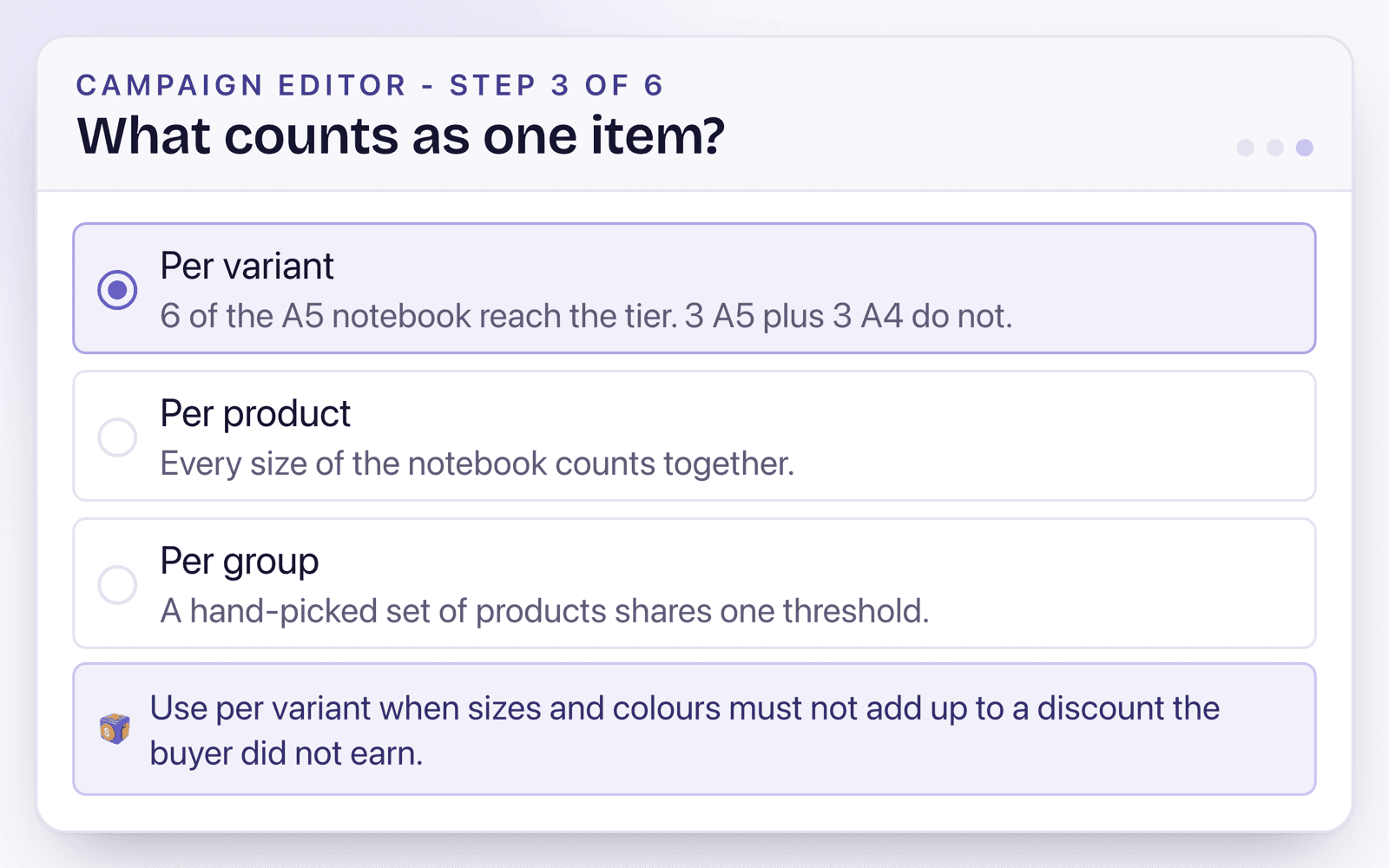
per_variant: count the exact SKU only
A large tee and a medium tee of the same style count separately toward their own thresholds.
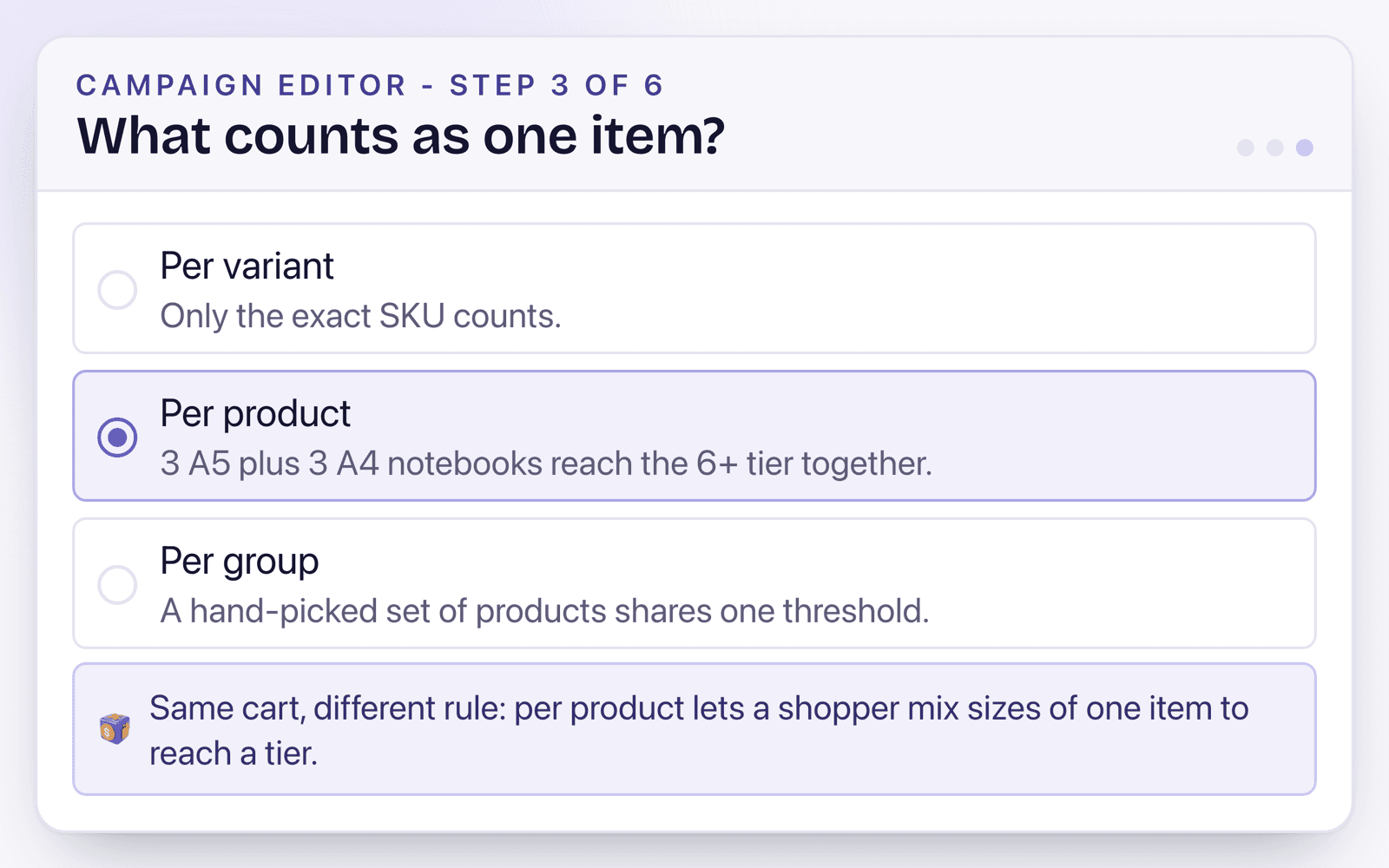
per_product: count every variant of one product together
All sizes and colors of one tee style share the same tier.
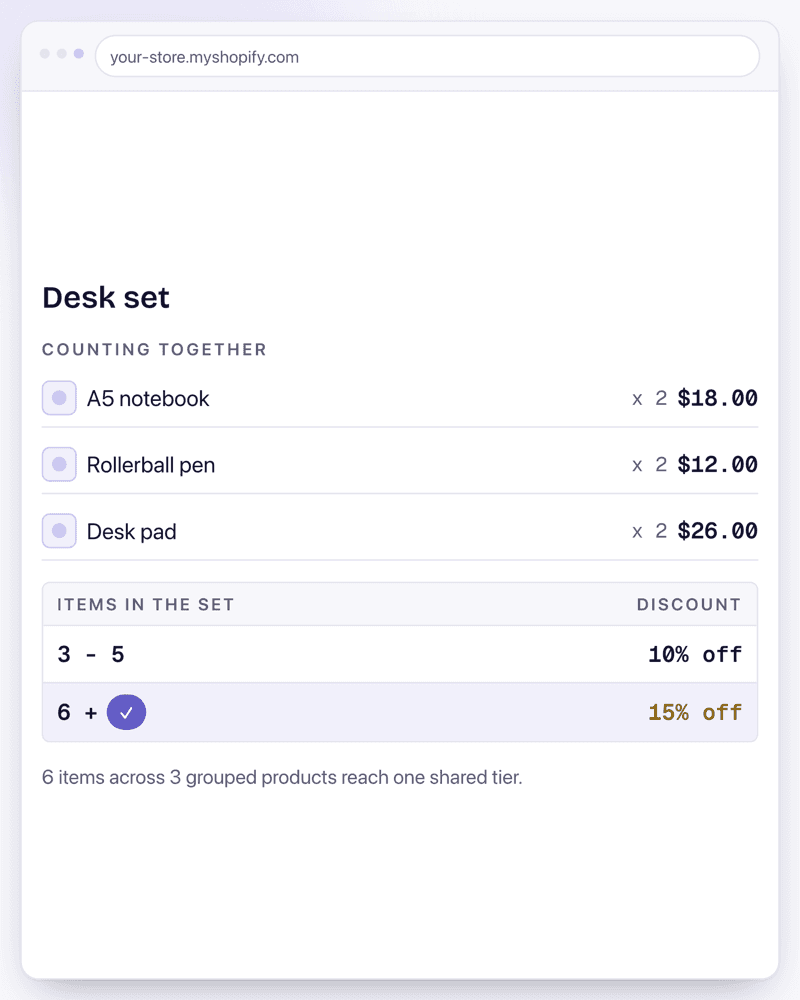
per_group: hand-pick a small set of related products
A "starter kit" of 3 different products counts as one group toward a single shared threshold.
Use it like this
An apparel store wants 4+ of one tee style, any size mix, to hit 15% off, without other tees contributing to the count.
Counting = per_product. Tier: 4+ = 15%. Scope = single tee product.
2 mediums plus 2 larges of the same tee style hits the tier; 2 of this tee plus 2 of a different tee does not.
A print shop sells posters where each size is a genuinely different cost, and tiers must not mix sizes together.
Counting = per_variant. Tier: 5+ = fixed unit price for that specific size.
5 A3 prints hits the tier; 3 A3 plus 2 A4 prints does not, because sizes are priced and counted independently.
A skincare brand wants cleanser, toner, and moisturizer bought together, any combination, 3+ units total across just those three, to unlock a discount without the rest of the catalog counting.
Counting = per_group, group = those 3 specific products. Tier: 3+ = 12%.
Any 3 units drawn from that trio triggers the discount; the same 3 units plus an unrelated serum still only counts the trio's 3 units toward the tier.
Common questions
Which counting mode should I use by default?
per_product, the smart default: every variant of one product page counts toward the same tier, matching how most merchants think about "buy more of this item."
When do I need per_variant instead?
When different variants are effectively different products for pricing purposes, like different print sizes or materials that shouldn't count toward each other's threshold.
What is per_group for?
A small, explicit set of related products, a kit or a handful of items, that should share one threshold without pulling in your entire catalog the way a full collection-scoped discount would.
Does the counting mode affect BOGO and volume tiers the same way?
Yes. Counting mode is a shared setting across every quantity-based offer type: volume tiers, BOGO, and quantity breaks all read from the same per_variant, per_product, or per_group logic.
Sources
- Functions run on Shopify’s servers, so cart and checkout price from one rule - Function APIs
Related features
Volume Discounts
Shopify volume discounts, natively, pool every product in a collection toward one shared threshold. Stackable's tiers count the exact product, and only the variants you choose, so a chair buyer doesn't get a discount by adding three unrelated items to the cart.
Discount Stacking
How to stack discounts in Shopify comes down to settings the platform hides by default: every discount belongs to a class (product, order, or shipping), and whether two discounts combine is decided per offer, per class. Stackable puts those combine switches on every offer, so a volume tier, a spend goal, and free shipping add up exactly the way you configured them, every time.
BOGO / Buy X Get Y
Running BOGO beyond the 100-product cap isn't possible with Shopify's native Buy X Get Y discount: it stops letting you add eligible products once you pass 100, and it only applies once per order. Stackable removes both limits and adds cheapest-item-free logic on top.
Examples using this
Copy-ready setups built on this feature, each with the exact settings and a video.
Install Stackable and start with Quantity Breaks
Every offer type runs on the same server-side engine, so whatever you combine, the checkout math holds.
Free plan available. No card required.