
Shopify scheduled sales that start on time, and pause within 60 seconds
Shopify scheduled sales fail two ways in the wild: campaigns that silently never start, and live campaigns with no pause button. Stackable's scheduler runs on the same reliability guarantee as its checkout math, and pausing takes effect storefront-wide in under a minute.
Merchants on the Shopify forums and app reviews describe the same two failures:
“A campaign scheduled to start Friday at midnight never actually applies. And once a sale is live, there's no way to pause it without deleting the whole campaign and losing its settings.”
A scheduling bug is invisible until it costs money. Either a sale doesn't start when promised and support tickets pile up during the exact window meant to drive traffic, or a sale can't be stopped and keeps discounting orders after a pricing mistake is discovered, sometimes for days over a weekend.
How Stackable solves it
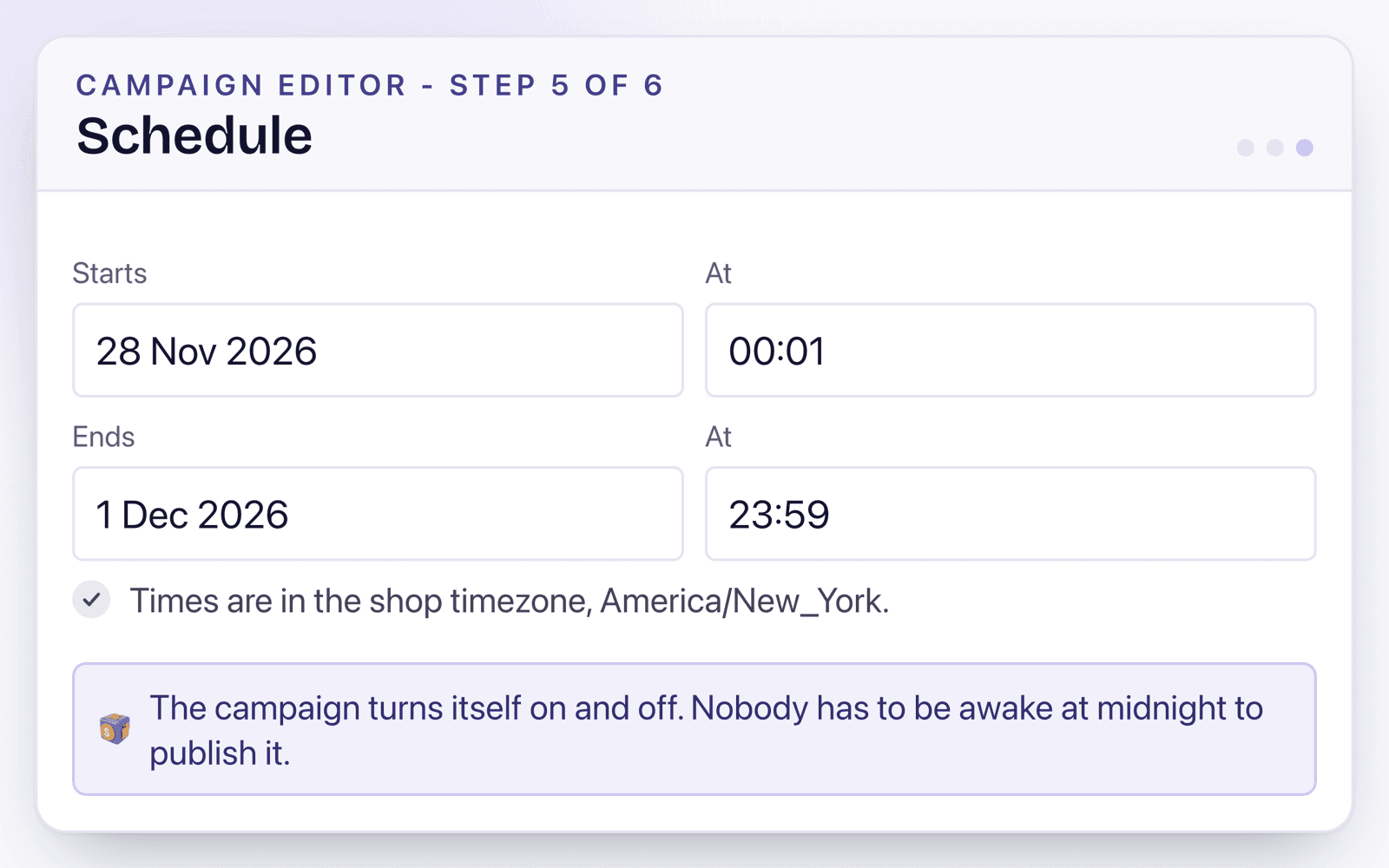
Set a start and end time
Timezone-aware scheduling matches the shop's own timezone, no manual UTC conversion.
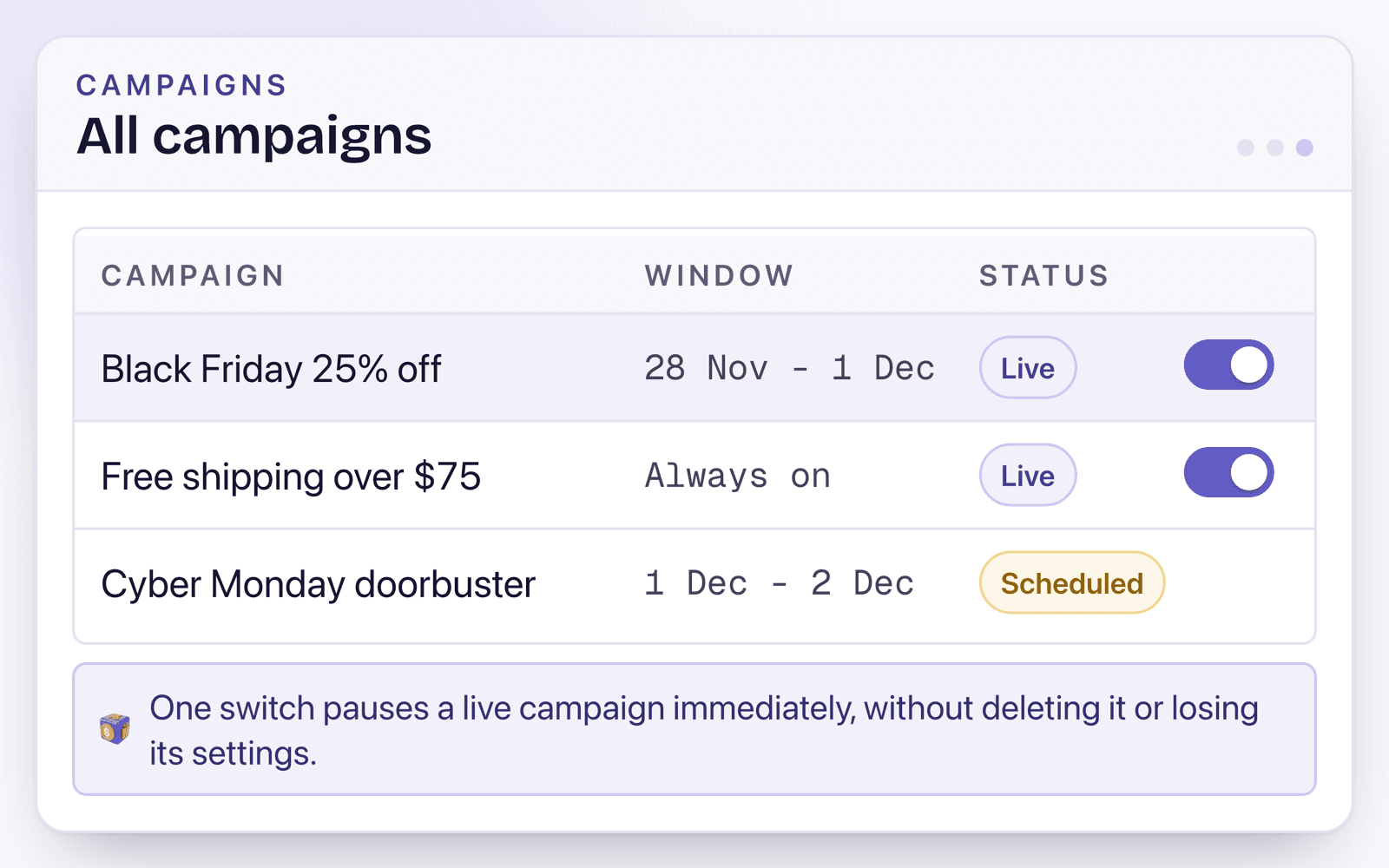
Pause any live campaign in one click
A single toggle takes a campaign off every storefront surface within 60 seconds. Settings stay saved to resume later.
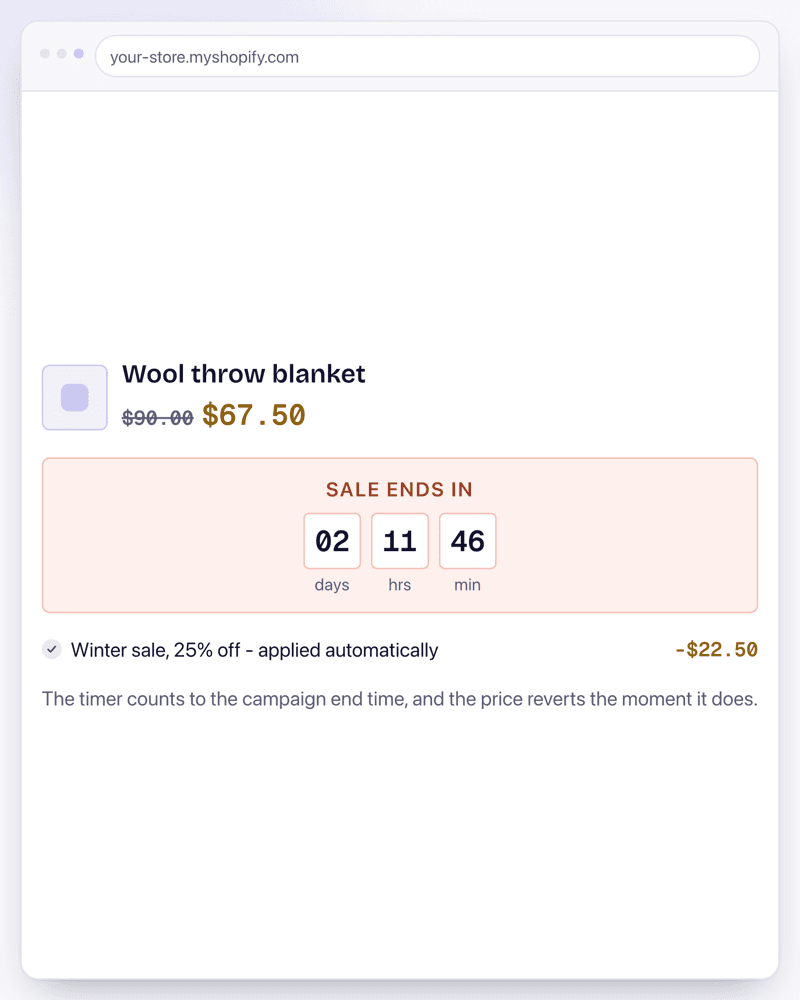
The discount follows the schedule automatically
The discount starts and stops at checkout exactly on schedule, and the countdown timer counts down to the end time and hides itself when the sale ends, with no manual theme edits.
Use it like this
A 48-hour flash sale, 20% off, Friday 6pm to Sunday 6pm store time.
Schedule start/end at those exact times, storefront countdown timer enabled.
The discount starts at 6pm Friday and ends at 6pm Sunday automatically, and the countdown ticks down to the end time and hides itself when the sale is over, no manual toggling required.
A multi-stage Black Friday to Cyber Monday plan: early-access 15% off Wednesday to Thursday, then 25% off Friday to Monday.
Two campaigns scheduled back to back, the second set to start the moment the first ends.
Customers see the correct tier automatically at every stage of the weekend, with no window where both discounts could apply at once.
A merchant notices a pricing error mid-sale: a 25% off campaign is accidentally stacking with an existing code and orders are underpriced.
Pause the 25% off campaign from the campaign list.
The discount stops applying to new carts within 60 seconds storefront-wide, while the campaign's settings stay saved to resume once the stacking rule is fixed.
Common questions
How fast does pausing actually take effect?
The discount deactivates at checkout immediately, and storefront widgets update within about 60 seconds. Settings stay saved so you can resume anytime.
Will a scheduled campaign definitely start on time?
Yes. The start and end times are enforced by Shopify itself on the discount, server-side at checkout, so a campaign set to start at a given time starts at that time.
Does pausing delete the campaign?
No. Pausing only takes it off the storefront. Every tier, rule, and stacking setting stays exactly as configured, resume it whenever you like.
Can I schedule multiple campaigns back to back without overlap?
Yes. Set one campaign's end time to match the next one's start time, and only one is ever live at a given moment.
Sources
- A store can run at most 25 active function-based automatic discounts - Discount Function API
- Shopify raised the automatic app-discount limit from 5 to 25 in November 2024 - Increased limits for automatic function-based discounts
Related features
Discount Stacking
How to stack discounts in Shopify comes down to settings the platform hides by default: every discount belongs to a class (product, order, or shipping), and whether two discounts combine is decided per offer, per class. Stackable puts those combine switches on every offer, so a volume tier, a spend goal, and free shipping add up exactly the way you configured them, every time.
Volume Discounts
Shopify volume discounts, natively, pool every product in a collection toward one shared threshold. Stackable's tiers count the exact product, and only the variants you choose, so a chair buyer doesn't get a discount by adding three unrelated items to the cart.
Bulk Discount Codes
A bulk discount code generator solves one specific problem: sending a single discount code to an influencer list or an SMS blast means every recipient can share it infinitely. Stackable's generator creates unique, single-use codes with CSV export, made for exactly that use case.
Examples using this
Copy-ready setups built on this feature, each with the exact settings and a video.
Install Stackable and start with Scheduled Sales
Every offer type runs on the same server-side engine, so whatever you combine, the checkout math holds.
Free plan available. No card required.